
雷光ジェネレーター
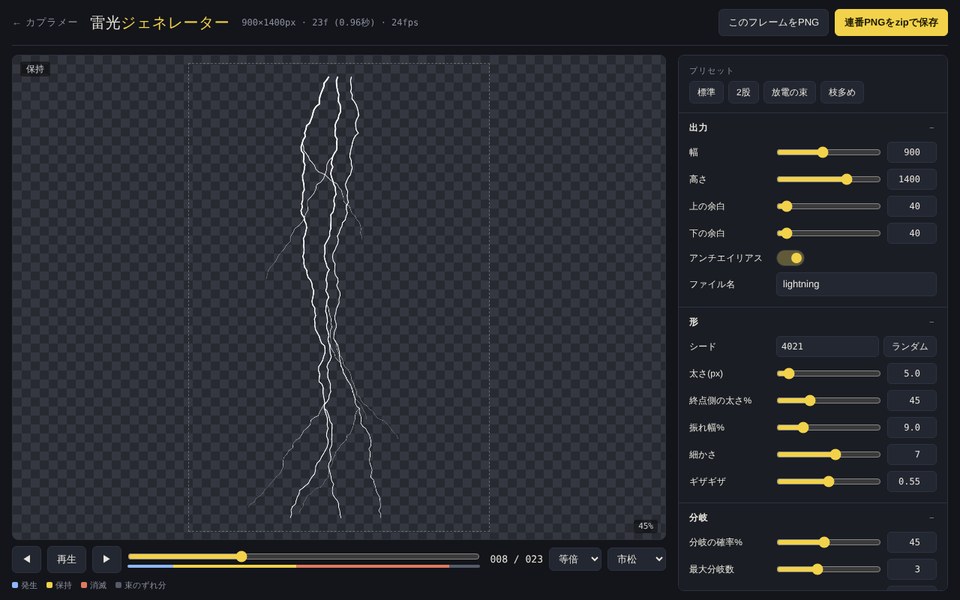
パラメータで雷エフェクトを作り、発生から消えるまでを透過PNGの連番で書き出すツールです。
白一色で書き出すので、色やグローは撮影(AEなど)で付けます。
A tool that builds lightning effects from parameters and exports them from strike to fade-out as a transparent PNG sequence.
It exports in solid white, so add color and glow in compositing (After Effects, etc.).
こんなときに
- 2Dの雷素材を形違いでいくつも用意したい時
- 雷の消え方を細かく調整したい時
- When you want several variations of a 2D lightning element
- When you want fine control over how the lightning fades out
使い方
- 「形」「分岐」「束」で雷の形を決めます。シードを変えると、同じ設定のまま形だけが変わります。
- 「タイミング」で発生・保持・消滅のフレーム数を、「消え方」で消える向きを決めます。
- 「連番PNGをzipで保存」で全フレームを書き出します。
- 「まとめて書き出し」では、シード違いの雷を指定した本数ぶん、フォルダに分けて1つのzipに保存します。
- Set the shape with the shape, branch and bundle settings. Changing the seed changes only the shape and keeps the settings.
- Set the frame counts for the strike, hold and fade in the timing settings, and the fade direction in the fade settings.
- Press “連番PNGをzipで保存” (Save PNG sequence as zip) to export every frame.
- Batch export saves the number of seed variations you set into one zip, one folder each.
主な機能
- キーボード操作:Space=再生/停止 / ←→=コマ送り
- Keyboard: Space = play / pause, ← → = step frames
- 対応環境
- PCのブラウザDesktop browsers
- データの保存
- 設定はこの端末のブラウザの中に保存されます。Settings are saved in this device's browser.