
リネームツール
フォルダ内や選択したファイルを、連番か文字列の置換でまとめてリネームするWindows用ツール。
A Windows tool that batch-renames files in a folder or a selection, by sequence numbers or text replacement.
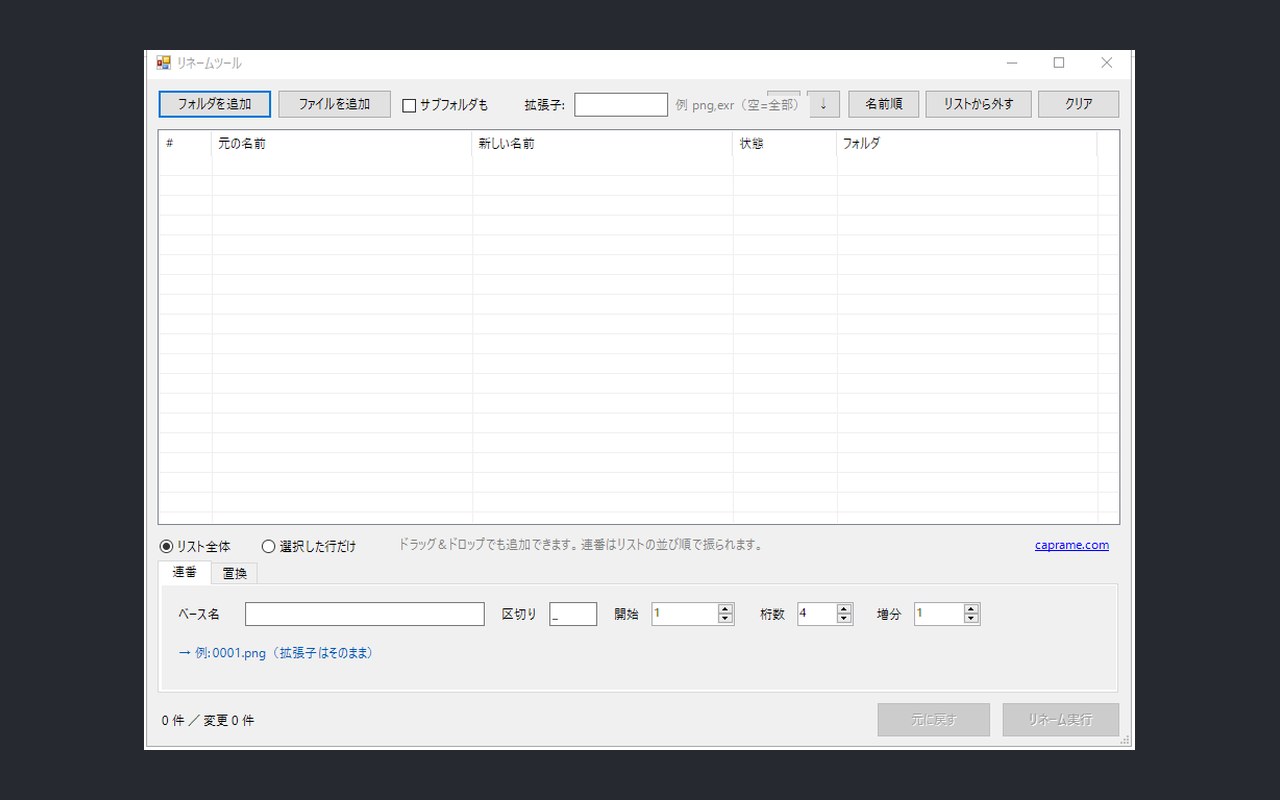
インストール不要。zipを展開して RenameTool.bat をダブルクリックで起動します。
No installation needed. Unzip it and double-click RenameTool.bat.
こんなときに
- 連番素材のファイル名をまとめて付け直したい時
- ファイル名の一部をまとめて書き換えたい時
- When you want to rename a set of sequence files in one go
- When you want to change part of many file names at once
使い方
- 「フォルダを追加」「ファイルを追加」か、ウィンドウへのドラッグ&ドロップで対象を入れます。
- 「連番」タブでは、ベース名・区切り・開始番号・桁数・増分を決めます。番号はリストの並び順で振られます。
- 「置換」タブでは、検索する文字と置換後の文字を入れます。正規表現も使えます。
- 新しい名前を確認して「リネーム実行」を押します。直前の1回は「元に戻す」で戻せます。
- Add files with the add-folder or add-files buttons, or drag and drop them onto the window.
- In the sequence tab, set the base name, separator, start number, digits and step. Numbers follow the order of the list.
- In the replace tab, enter the text to find and the text to replace it with. Regular expressions are supported.
- Check the new names and press the rename button. You can undo the last rename.
主な機能
- ↑↓ボタンで並び順を変更 / Delete=リストから外す / Ctrl+A=全選択
- Install-SendTo.bat を実行すると、右クリックの「送る」から開けます
- ↑ / ↓ buttons change the order / Delete = remove from list / Ctrl+A = select all
- Run Install-SendTo.bat to open the tool from the right-click Send to menu
- 対応環境
- Windows 10・11Windows 10 and 11