
TimeCode Calculator
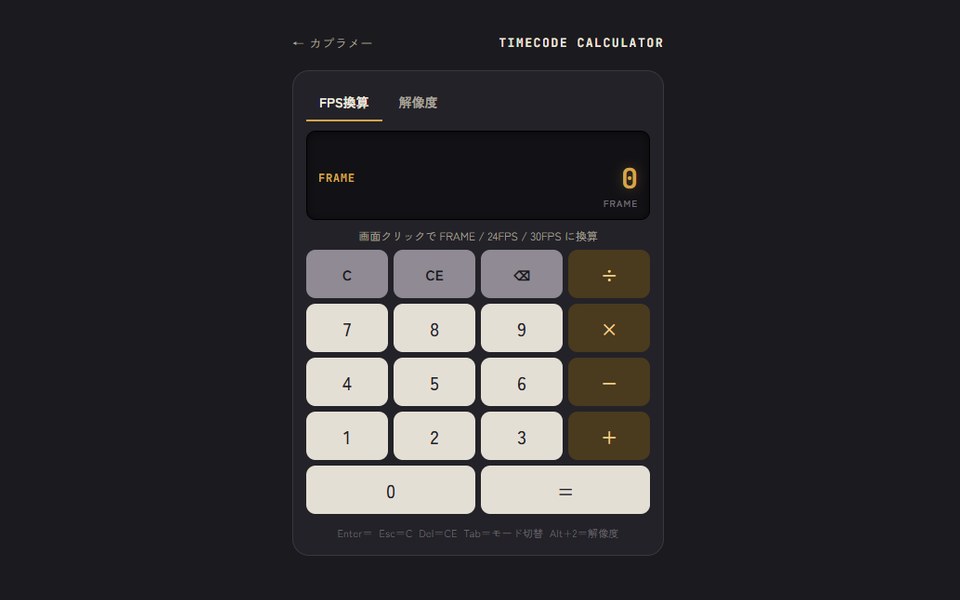
フレーム数と24fps・30fpsのタイムコードを相互に換算できる電卓です。
解像度の縦横比計算もできます。
A calculator that converts between frame counts and 24fps / 30fps timecode.
It can also work out aspect-ratio resizing.
Windows版はインストール不要で、ダウンロードしたexeをダブルクリックするだけで使えます。
The Windows version needs no installation. Just double-click the downloaded exe.
こんなときに
- カットの尺を、フレーム数と秒+コマで行き来したい時
- 24fpsと30fpsで尺がどう変わるか確かめたい時
- 素材を縦横比を保ったままリサイズしたい時
- When you want to go back and forth between frame counts and seconds + frames
- When you want to check how a duration changes between 24fps and 30fps
- When you want to resize footage while keeping its aspect ratio
使い方
- 数字を入力して表示部をクリック(タップ)すると、FRAME → 24FPS → 30FPS の順に換算されます。
- タイムコードは右から詰めて入力します。「210」と打つと2秒10コマです。
- 普通の電卓としても使えます。24FPS・30FPSのときの足し算・引き算は、そのままタイムコードの計算になります。
- 「解像度」タブでは、元サイズと変換後の幅か高さを入れると、もう一方がすぐに出ます(端数は切り上げ)。
- Type a number and click (tap) the display to convert it in the order FRAME → 24FPS → 30FPS.
- Timecode is entered from the right. Typing “210” means 2 seconds 10 frames.
- It also works as a normal calculator. Adding and subtracting in 24FPS / 30FPS mode works in timecode.
- In the resolution tab, enter the original size and a new width or height, and the other side appears right away (rounded up).
主な機能
- キーボード操作:Enter=「=」/ Esc=C / Delete=CE / Backspace=1文字消す / Tab=モード切替
- Web版は Alt+1・Alt+2 でタブ切替(Windows版は Ctrl+Tab)
- Keyboard: Enter = “=”, Esc = C, Delete = CE, Backspace = delete one digit, Tab = switch mode
- Switch tabs with Alt+1 / Alt+2 on the web (Ctrl+Tab in the Windows app)
- 対応環境
- Web版:スマホ・PCのブラウザ / Windows版:Windows 10・11Web: phone and desktop browsers / App: Windows 10 and 11
- データの保存
- Web版は元サイズの設定だけをこの端末のブラウザに保存します。The web version only saves the original size setting in this device's browser.